FleetSQL
  FleetTAB
  FleetAI
  Ecodriving
  Maintenance
  Fleet Config
  Logbook
  Utilization
  Merger
  Routly
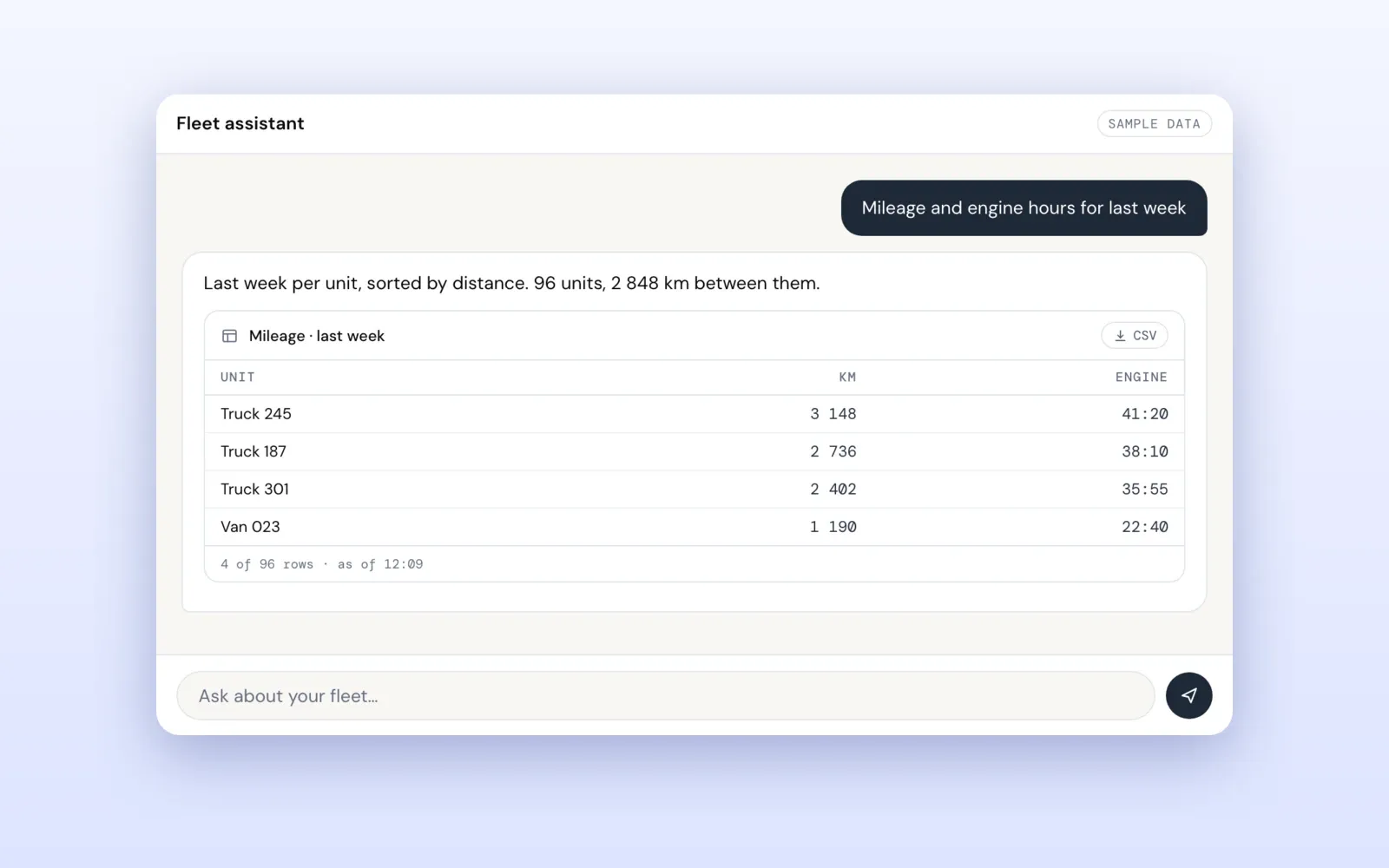
Every Wialon account already holds the answer to “how far did each truck drive last week”. Getting it out takes a report template, a unit or a group, an interval, an execute and an export — six screens for one sentence, and the same six again next week for the other group.
FleetAI is released and running at ai.theassettrack.com. It is a chat for your own Wialon account: paste an access token, ask in plain words, and the answer comes back as the thing you were going to build anyway — a table, a chart, a map or a PDF. The same tools are also an MCP server with a skill, so an AI agent such as Claude Code, Codex or Cursor can read your fleet where you already work.
Try it: the FleetAI product page has the full breakdown and the FAQ. It is free, and there is no account to create.
Ask the fleet, not the report builder
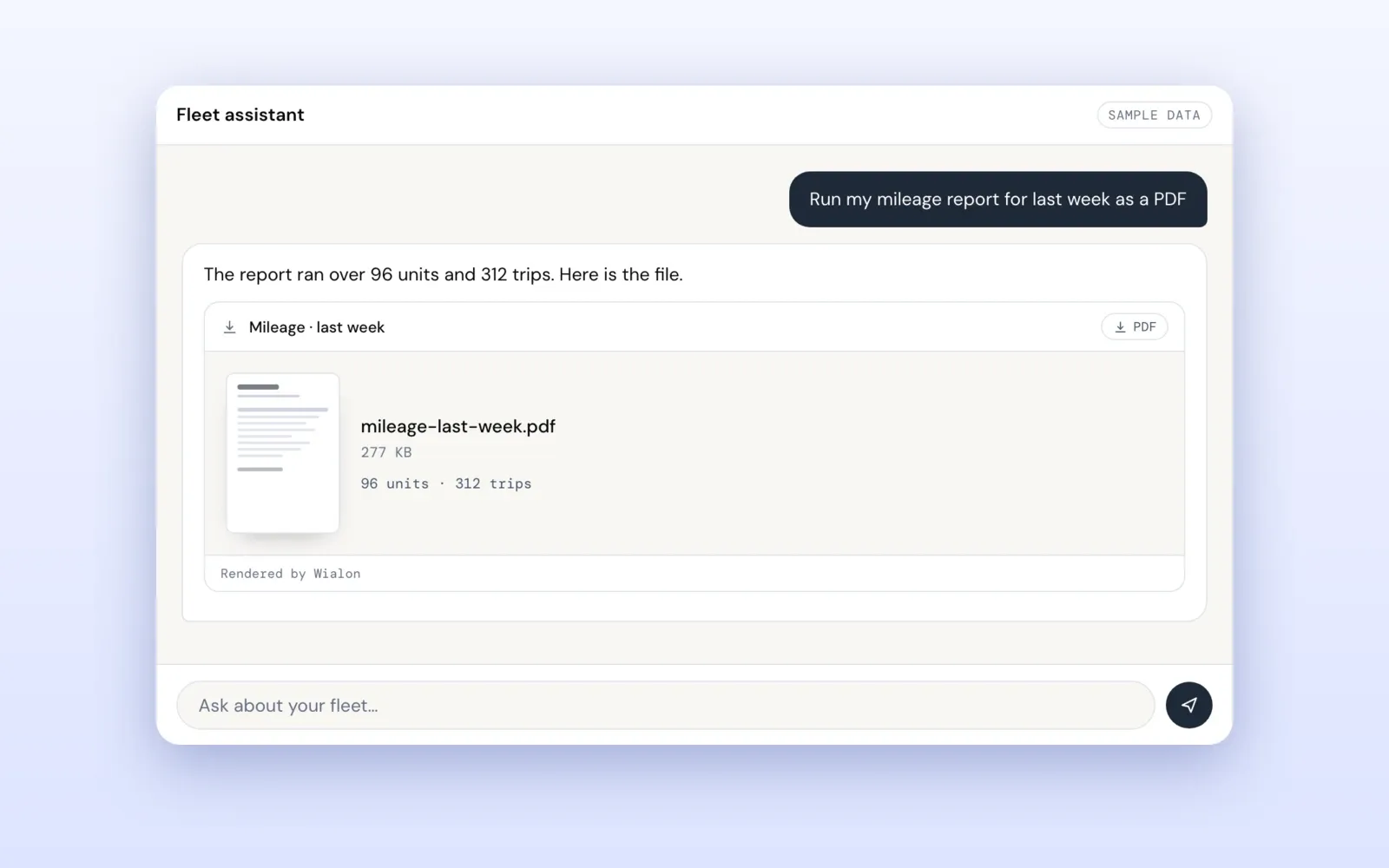
The chat is the front door. Positions, trips, fuel, drivers, geofences, notification rules and saved reports are all reachable by asking: “where is everything right now”, “which trucks are low on fuel”, “mileage for every truck last week, as a PDF”.
Behind each question is a set of tools that know how Wialon behaves, so the answer is the one a careful person with report access would give — not a plausible-sounding one. Every vehicle comes back with how old its position is, every sensor with how old its value is, and something nobody measured is reported as unknown rather than as zero.
An answer you can keep
A wall of text is not a deliverable. Answers arrive in the shape the question needed:
- A table that saves as CSV and keeps the query behind it, so it can be refreshed tomorrow.
- A chart drawn from the rows of the same answer.
- A map, with a route drawn rather than described.
- A PDF or Excel file that Wialon renders itself — the same document its own Export button produces.
Around the chat there is a dashboard, a map, routes and drivers, and an answer is a way into them: ask where a van is and open it on the map with that van already picked out.
The same tools, as a Wialon MCP server
If you already work in an editor with an AI agent, opening a browser tab to ask about the fleet is a detour. FleetAI is also a remote MCP server: one URL, your token in a header, and Claude Code, Codex, Cursor or Claude Desktop can ask the fleet directly.
In Claude Code it is one command:
claude mcp add --transport http fleetai \
  https://ai.theassettrack.com/mcp \
  --header "Authorization: Bearer <your token>"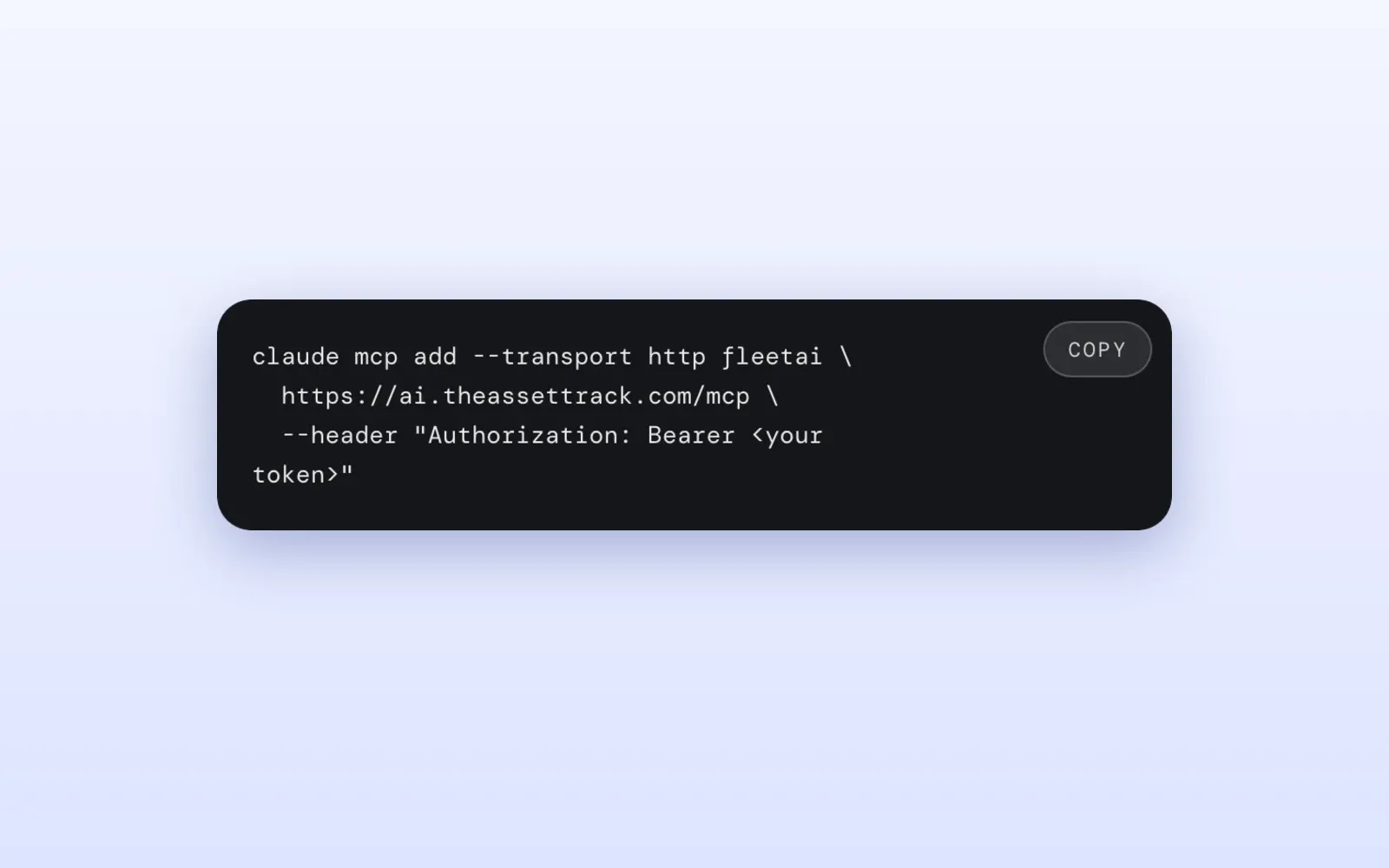
There is nothing to install and nothing to keep current: the server is one endpoint, so a fix to how trips are read reaches every client the moment it ships. Thirteen tools cover the questions people actually ask, and the thirteenth is a single door to nineteen more Wialon operations, so an agent never carries thirty-one schemas in every request. If your account is on the eu or us data centre, add ?region=eu or ?region=us to the URL.
A skill, because tools are only reach
An agent that can read your account is not the same as an agent that can answer correctly. A speed of 13 km/h is not a moving truck when the position behind it was recorded in April. A missing fuel level is an unreadable sensor, not an empty tank. A report has to be run and exported in one operation, because Wialon keeps one result per session and anything running in between replaces it. None of that is written in a tool schema.
So a skill ships with the server. It tells the agent which tool answers what and the rules that decide whether an answer is right, and the server hands it over as instructions when the client connects. There are no files to copy into a project and none to keep up to date.
Read-only, and your token stays yours
Every tool reads. Nothing creates, edits or deletes anything in your Wialon account — not a geofence, not a notification, not a unit setting.
The token is used in memory for the calls it needs and is never stored or logged; it is stripped from every answer before the model sees it. There is no database on our side. Wialon lets you issue a token with a short lifetime and only the rights reading needs, and deleting it in your user settings locks out every app and agent holding it the same second. The Wialon API reference on tokens covers the access flags and the rule that deletes an idle token.
FleetAI FAQ
What do I need to start?
A Wialon account with an access token from it, and a Google Gemini API key for the chat app — Google gives one away free in AI Studio. Over MCP the model is whichever one your client already runs.
Which Wialon platforms does it work with?
Wialon only, on the com, eu and us Hosting data centres. A token is minted at one data centre and means nothing at the others, so the region is the first thing to check when nothing authenticates.
Where does my data go?
In the chat app your question and the fleet data needed to answer it go from your browser to Google Gemini under your own key and the Gemini API terms. The Wialon token passes through our relay only on its way to Wialon, and chat history lives in your browser’s local storage.
Can it get me a report as a file?
Yes. Ask for a saved report as a PDF, an Excel sheet or a CSV and it comes back as a download. If a report is too large for Wialon to run, Wialon returns no rows rather than an error — the reports reference explains the limits.
What does it cost?
Nothing from us. You bring your own Wialon account and your own Gemini API key.
Getting started
Open ai.theassettrack.com, paste your token and ask your first question, or add the MCP server to your editor with the command above. The FleetAI product page has the rest of the detail.
If your fleet needs a question answered that it cannot answer yet, send us a note — most of what is in our apps arrived that way.