 FleetSQL
  FleetTAB
  FleetAI
  Ecodriving
  Maintenance
  Fleet Config
  Logbook
  Utilization
  Merger
  Routly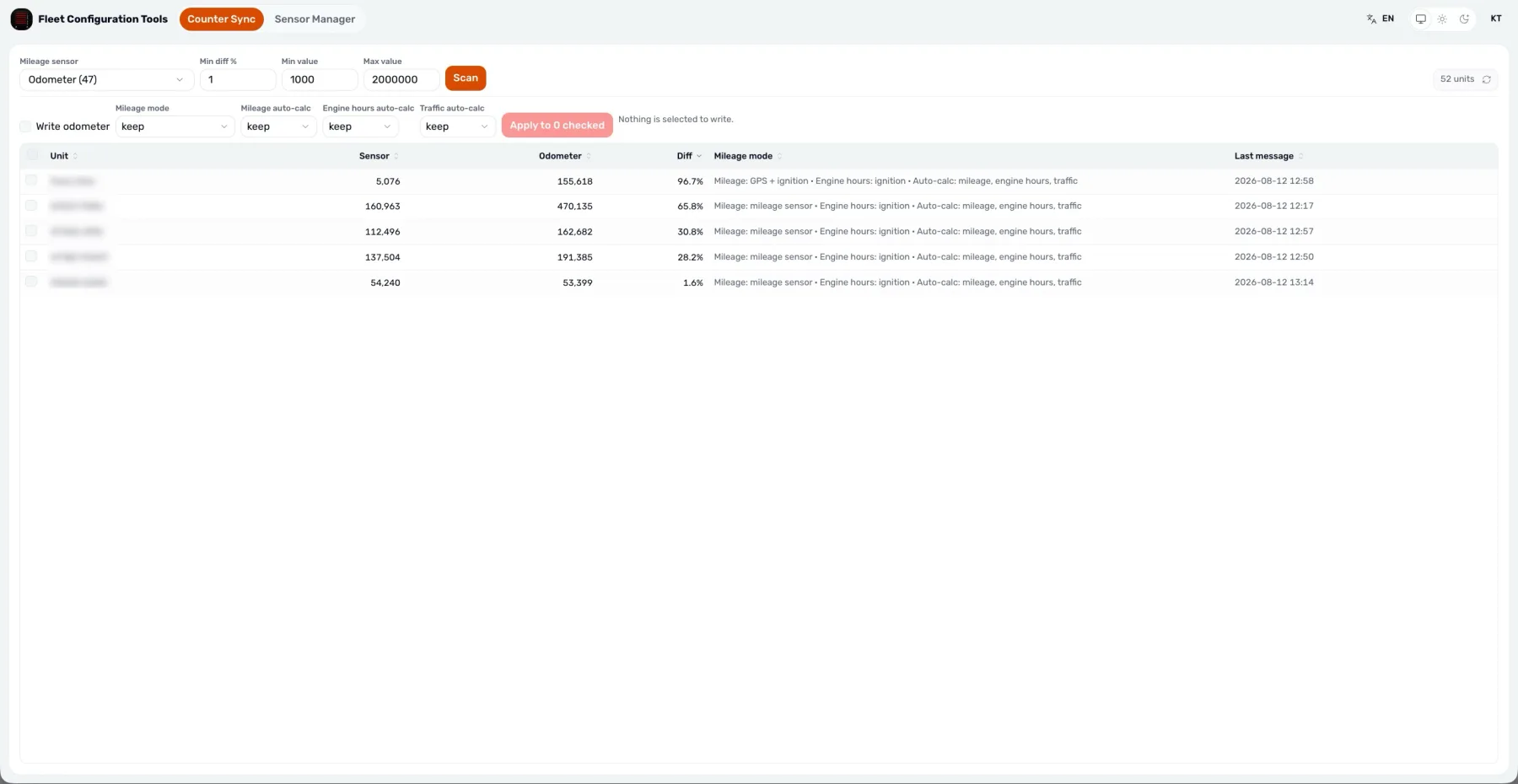
Wialon Driving Logbook: Business or Personal
Every trip Wialon recorded in one table — classified business or personal, written back to the trip, and exported to Excel for a mileage claim.
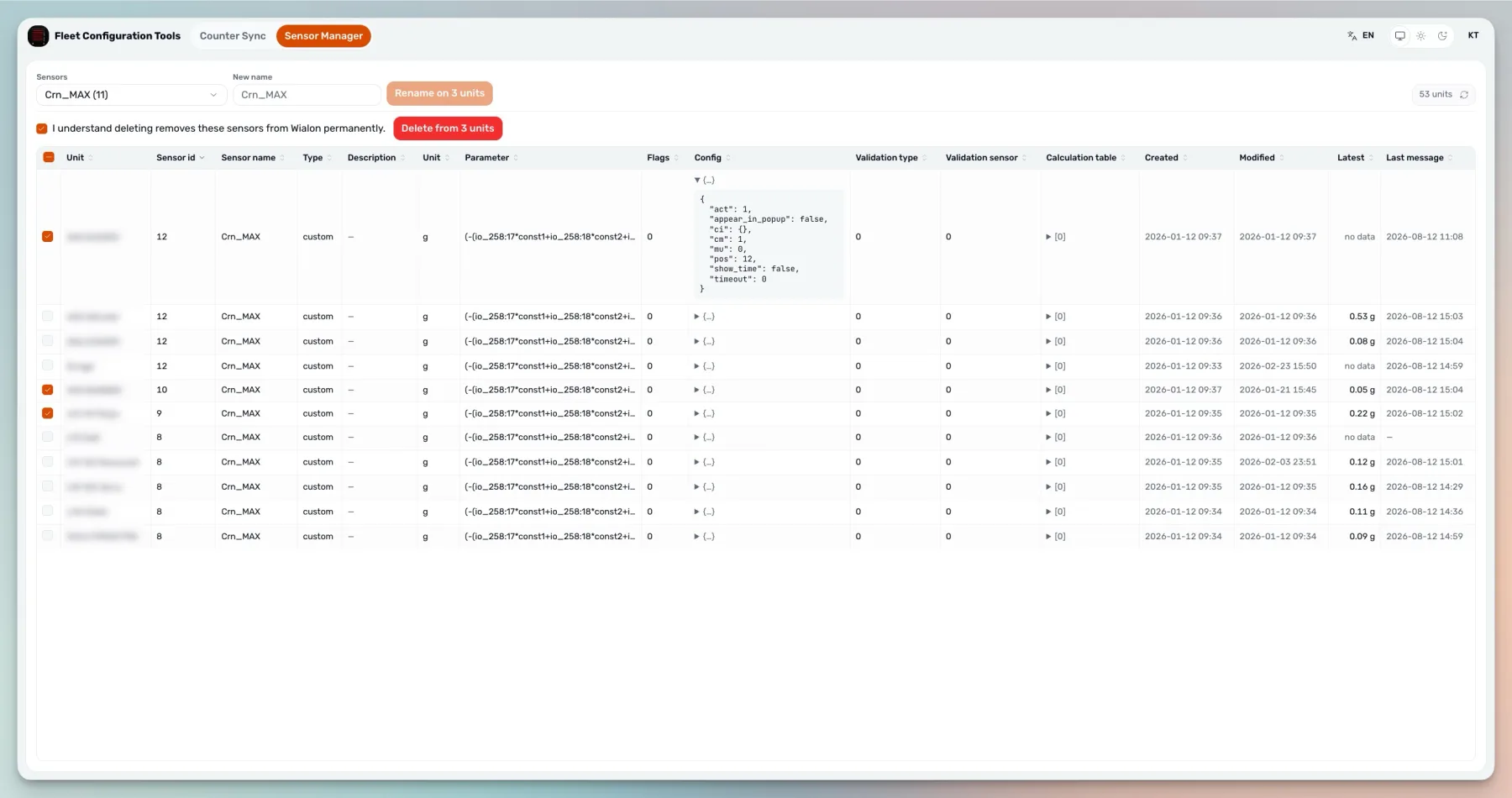
Read moreTwo tools for the fleet-wide edits Wialon makes you do one unit at a time: Counter Sync sets each odometer from that unit's own mileage sensor, and Sensor Manager renames or deletes a sensor across every unit that carries it.

Import from WLP moves whole blocks between units. Renaming a sensor that already exists on three hundred units has to change it in place.
There is no fleet-level sensor to rename once, so a naming cleanup across a large account is measured in hours of opening unit cards.
Switches the counter to mileage-sensor mode and sets the odometer from that unit's own reading.
Finds every unit carrying a sensor and renames or deletes it across all of them at once.
Every tool reads first and shows the exact units and values it would change.
Writes send the IDs the preview displayed, so a sensor changed in between cannot be caught up in it.
Wialon's batch call reports the unit it refused by name and the run continues.
The deployment holds no token: writes happen as the signed-in user, with that user's rights.
The same two numbers the homepage states: free on the Wialon Marketplace under our name, $500 a month per application under your brand.
Free
The application on the Wialon Marketplace, at no charge, under our name.
$500 / month
The same application under the partner's brand, colours and domain, from the login screen on. Priced per application, per month.
There is no account to create here. Either sign in against your Wialon server, or register the app in the CMS so it opens from Wialon already authenticated. Either way the writes happen as you, with your Wialon rights.
They do different jobs. Export to WLP copies a source unit's configuration onto other units, which is what you want when setting up a new unit like an existing one. When one property has to change on units that already have their own settings, copying a whole sensor block over would replace the rest of it, so these tools edit the property in place instead.
Yes. Counter Sync calls unit/update_calc_flags and unit/update_mileage_counter, and Sensor Manager calls unit/update_sensor. Each is preceded by a preview showing which units and values are involved.
A rename can be reversed by renaming back. A sensor deletion cannot: it is permanent in Wialon. The preview exists so that decision is made before the write.
That unit is reported by name with the reason, and the rest of the run continues. A single refusal does not roll back or abort the rest.
No. The session belongs to the signed-in user. The deployment holds no credential of its own, so it can never do more than the person using it is allowed to do.
Yes, under your brand and domain, with the commercial relationship yours. Partners often run it internally for onboarding and account cleanup rather than putting it in front of customers.
Every trip Wialon recorded in one table — classified business or personal, written back to the trip, and exported to Excel for a mileage claim.
Read moreThe Wialon partner model explained: billing plans and margin, where leads come from, statuses, and where new partners get stuck.
Read moreRename or delete a sensor on every Wialon unit that carries it, fix odometers from mileage sensors. Free on the Wialon Marketplace, preview before writing.
Read more“Our client needed a data pipeline. It came back working, plus a few Wialon fixes we had not asked for. That client trusts us more now.”
 Faiz K. Customer Manager · Trakpro Limited


